- Hemsida /
- Elektronik /
- Computer Accessories /
- Computer Components /
- Single Board Computers /
- ELECFREAKS microbit Retro Makecode Arcade for...
0 ratings





Artikelnummer:
70672342
ELECFREAKS microbit Retro Makecode Arcade for STEM Education, Micro:bit Joystick Programming Learning Machine Supports Remote Control and Creat
Artikelnummer:
70672342
SEK 465
Price Details
Excluding Shipping & Custom charges ( Shipping and custom charges will be calculated on checkout )
*All items will import from USA
I lager
 Importerad från butiken USA
Beställ nu och få den ungefär på Torsdag, Juli 02
Säker transaktion
Ubuy arbetar hårt för att skydda din säkerhet och integritet. Vårt avancerade betalningssäkerhetssystem säkerställer konfidentialitet genom att kryptera din information vid överföring med hjälp av AES (Advanced Encryption Standards) och SSL (Secure Socket Layer) protokoll. Dina betalningsuppgifter är 100% säkra eftersom vi inte delar dem med tredjepartssäljare.
Våra främsta logistikpartners


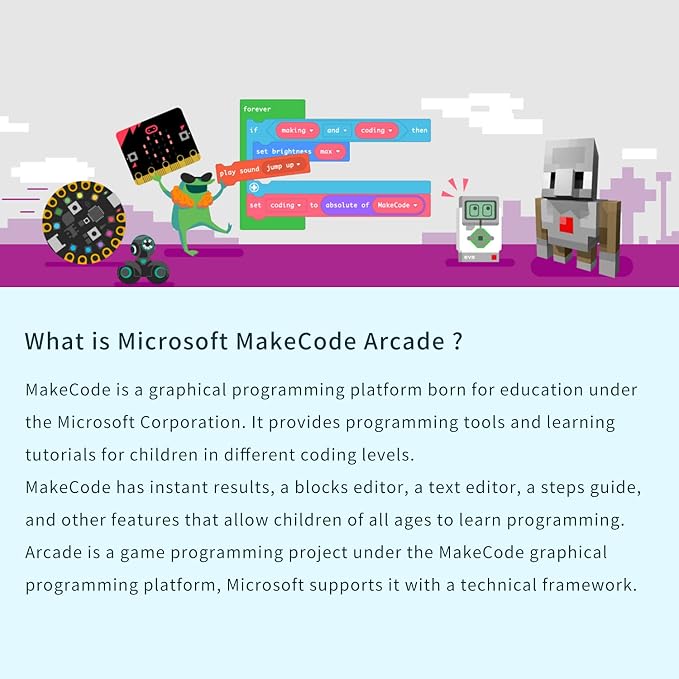
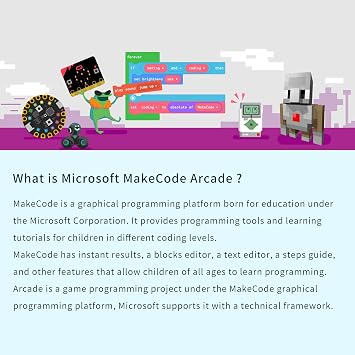
The microbit Retro Makecode Arcade is a fun and educational tool that allows kids to learn programming and develop computational thinking skills while creating their own games.

Köp nu betala senare

Fast
Shipping

Gratis
returrätt*

Säker förpackning

100% originalprodukter

PCI DSS Compliance

ISO 27001 Certified


Note: Step Down Voltage Transformer required for using electronics products of USA store (110-120). Recommended power converters Köp nu.


Produktinformation
- 【Translucent acrylic】The microbit arcade has a transparent acrylic material with a circular arc design, which makes it feel better.Please note that the microbit motherboard must be inserted into the card slot to drive!
- 【2 Functions】The microbit arcade can not only remote control the micro:bit car, but also create games. Can bring more experience and fun.
- 【STEM Educational Gift】During the process of programming learning, You can use the Makecode graphical programming language to customize game characters, various game scenes and plot designs, which can quickly develop computational thinking skills.
- 【Operation keys and operation guide】micro:bit Retro Arcade is a color screen joystick expansion board for micro:bit V2, it contains a TFT 160*128 color screen, 4 directional buttons, 2 A/B buttons and a reset button. Please note that the microbit motherboard must be inserted into the card slot to drive!!!
- Tips: 1.It is normal for the screen to be a little loose!!! 2. not include microbit
| Compatible Devices | micro:bit V2, Microsoft Arcade programming platform |
| Controller Type | Button Control |
| Additional Features | Graphical Programming, Remote Control |
| Power Source | Battery Powered |
| Item Weight | 0.18 Kilograms |
| Color | Berry |
| Brand Name | EF ELECFREAKS |
| Model Name | micro:bit Retro Arcade |
| Manufacturer | EF ELECFREAKS |
| UPC | 779288989122 |
| Model Number | micro:bit Retro Programming Arcade |
| Manufacturer Part Number | micro:bit Retro Programming Arcade |
| Included Components | Cassette |
| Brand | EF-ELECFREAKS |
What's in the box
Cassette
PRODUKTBESKRIVNING
Har du någon fråga? Chatta med oss
Kundfrågor och svar
-
fråga:
What is the ELECFREAKS microbit Retro Makecode Arcade?
svar: The ELECFREAKS microbit Retro Makecode Arcade is an educational toolkit designed for STEM learning, specifically focused on programming and robotics. It features a joystick and supports projects created with Microsoft MakeCode, making it an excellent resource for engaging young minds in coding and electronics. Users can create interactive games and applications, fostering creativity while developing problem-solving skills. This product is ideal for classrooms, coding clubs, or at-home projects. -
fråga:
How does the joystick work with the micro:bit?
svar: The joystick included with the microbit Retro Makecode Arcade allows users to interactively control games and applications programmed on the micro:bit. It connects seamlessly to the micro:bit board, enabling intuitive navigation and game control. This setup is particularly useful for programming educational games, where students can implement and test their coding skills in a playful context. It's an ideal way to learn how input devices function in programming. -
fråga:
Can I connect the ELECFREAKS microbit Arcade to a computer?
svar: Yes, the ELECFREAKS microbit Retro Makecode Arcade can easily connect to a computer for programming purposes. Students can use the Microsoft MakeCode platform to write and upload their code directly to the micro:bit. This connection allows for real-time coding and testing, creating an interactive learning experience. As learners modify their code, they can immediately see the effects reflected in the arcade display, enhancing understanding of programming concepts. -
fråga:
What types of projects can I create with this product?
svar: The ELECFREAKS microbit Retro Makecode Arcade opens up a world of project possibilities. Users can create custom arcade games, interactive simulations, and educational tools that demonstrate various programming concepts. Additionally, learners can experiment with remote control features, developing projects that involve robots or automated systems. This versatility makes it suitable for workshops or self-guided learning, encouraging creativity in coding and engineering. -
fråga:
What age group is the microbit Retro Makecode Arcade suitable for?
svar: The microbit Retro Makecode Arcade is primarily designed for children and young adults, making it suitable for ages 8 and up. Its engaging design and hands-on approach cater to different learning styles, helping young learners grasp programming fundamentals. Teachers and parents can use it to introduce STEM concepts in classrooms and home environments, empowering students to build confidence in technology through interactive play. -
fråga:
Is it possible to use the microbit Arcade for remote control applications?
svar: Yes, one of the exciting features of the ELECFREAKS microbit Retro Makecode Arcade is its support for remote control programming. Users can design projects where the arcade serves as a remote control interface for other devices or robots. This capability fosters a deeper understanding of both programming and electronics. It's particularly useful for advanced STEM projects, where teamwork and innovation are encouraged. -
fråga:
What materials are included with the microbit Arcade kit?
svar: The ELECFREAKS microbit Retro Makecode Arcade kit typically includes the micro:bit board, a joystick module, and necessary connections. These components are designed for easy assembly, allowing users to focus on coding and experimenting rather than complex setups. This structure makes it accessible for beginners while still providing opportunities for more advanced learners to explore additional connectivity options with external sensors or modules. -
fråga:
Can I use the microbit Arcade without prior programming experience?
svar: Absolutely! The microbit Retro Makecode Arcade is designed with beginners in mind and provides a user-friendly interface through Microsoft MakeCode. The block-based coding system simplifies programming for users with no prior experience, allowing them to grasp the basics of coding while creating fun projects. As learners progress, they can move to more complex coding structures, providing a path for continued growth in their programming skills. -
fråga:
Are there any online resources for learning how to use the microbit Arcade?
svar: Yes, numerous online resources are available to help users learn how to effectively utilize the ELECFREAKS microbit Retro Makecode Arcade. The official Microsoft MakeCode website offers tutorials, project ideas, and community forums where users can share their experiences and seek advice. Additionally, there are video tutorials and coding challenges available on various educational platforms that can further enhance the learning experience. -
fråga:
Where can I buy the ELECFREAKS microbit Retro Makecode Arcade for STEM Education?
svar: You can purchase the ELECFREAKS microbit Retro Makecode Arcade through Ubuy in Sweden. Ubuy provides a convenient platform for browsing and buying this innovative educational tool, making it readily accessible for those interested in enhancing their STEM education experience. With a few clicks, you can access this exciting product tailored for learning and creativity.
EF ELECFREAKS Single Board Computers micro:bit Retro Programming Arcade Editorial Review

Inga redaktionella recensioner hittades
Kundrecensioner & betyg
52 kunders betyg
-
5 stjärna
66%
-
4 stjärna
7%
-
3 stjärna
10%
-
2 stjärna
9%
-
1 stjärna
8%
Recensera denna produkt
Dela dina tankar med andra kunder
Fördelar
- Engaging STEM education tool
- Supports remote control features
- Easy to program with Makecode
- Encourages creativity and innovation
- Builds foundational coding skills
Nackdelar
- Limited advanced features
Produktens prishistorik
Viktig information
- Begränsningar: För produkter som levereras internationellt, observera att tillverkarens garanti inte är giltig. Tillverkarens servicealternativ kanske inte är tillgängliga; produktmanualer, instruktioner och kanske inte finns på destinationslandets språk; produkterna (och medföljande material) får inte utformas i enlighet med destinationslandets standarder, specifikationer och märkningskrav. och produkterna kanske inte överensstämmer med destinationslandets spänning och andra elektriska standarder (kräver användning av en adapter eller omvandlare om det är lämpligt). Mottagaren ansvarar för att produkten lagligt kan importeras till destinationslandet. Vid beställning från Ubuy eller dess partners är mottagaren importör och måste följa alla lagar och förordningar i destinationslandet.
- Alla produkter på Ubuy är inte till salu, eftersom Ubuy är en global sökmotor. Produkterna omfattas av export-/handelsbestämmelser.
SEK 465
Beställ nu och få den ungefär på Torsdag, Juli 02
Denna artikel är inte begränsad i mitt land. (Klicka på ovanstående länk om den här artikeln inte är begränsad i ditt land, så vårt team kommer att granska och tillåta.)
QTY:
Säker transaktion
Ubuy arbetar hårt för att skydda din säkerhet och integritet. Vårt avancerade betalningssäkerhetssystem säkerställer konfidentialitet genom att kryptera din information vid överföring med hjälp av AES (Advanced Encryption Standards) och SSL (Secure Socket Layer) protokoll. Dina betalningsuppgifter är 100% säkra eftersom vi inte delar dem med tredjepartssäljare.
Våra främsta logistikpartners
Snabbaste gränsöverskridande leverans
Funktioner
- Transparent acrylic with circular arc design
- 2 Functions: remote control car and create games
- STEM Educational Gift
- Color screen joystick expansion board with 7 operation keys
- Microbit motherboard required to operate
- Screen may be a little loose (normal)